
Allodium is a launcher for your GOG library, made for Linux. It features cloud saves, updates and DLC management, non-GOG game/program import/installs, custom cover art settings, playtime and last-played syncing, and more.
I wrote this because I switched between Heroic and Lutris several times over the years, never quite being satisfied with either, so I wanted to build something that was a mix between the two to fit my needs. It is still in early development, so expect bugs sometimes.
Screenshots
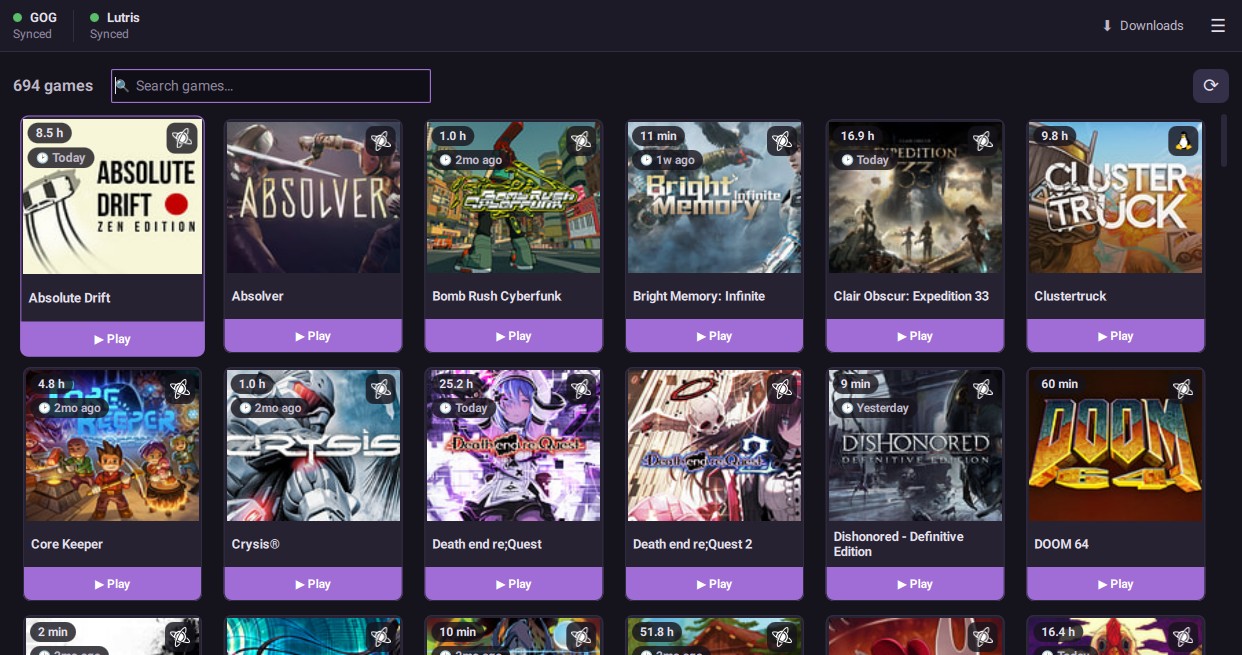
What Allodium does
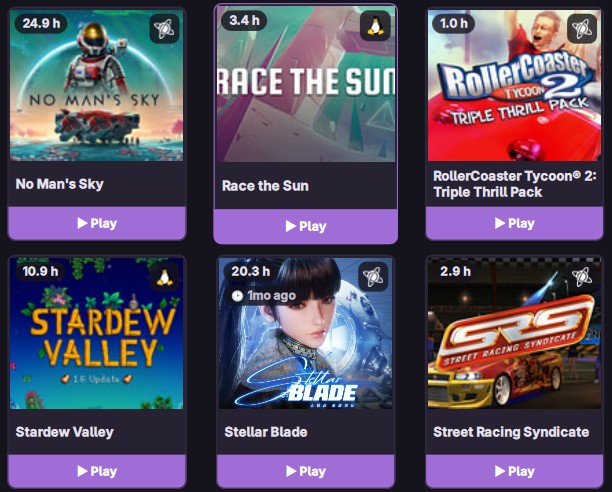
- Fetches your GOG library, with the cover art.
- Manage patches/updates, and DLC, for your games.
- Download and install from GOG over the Internet, or from offline installer files you've already backed up.
- Runs Windows games with Wine or Proton. It fetches what it needs by itself, so there is nothing to set up first.
- Keeps your GOG cloud saves current, on its own when a game opens and closes, so you can carry on from another machine.
- Import non-GOG games/programs. Give it any picture on the web for the cover art.
- Tracks playtime and last played, and you can sync it to "tHe CLoUd".
- The library grid supports controller navigation. For the Steam Deck, you will need to enable Steam Input.
- Can turn on the MangoHud overlay and GameMode, either for everything or for one game at a time.
Allodium vs Heroic and Lutris
Both are fine launchers. Heroic covers three stores across three operating systems, two of which I don't use. Lutris covers just about everything a game has ever shipped on, emulators included. Allodium does GOG on Linux and nothing else, apart from what you import yourself. That narrowness is the point: the GOG-specific parts get all of my time.
| Allodium | Heroic | Lutris | |
|---|---|---|---|
| Stores | GOG | GOG, Epic, Amazon | GOG, Epic, Humble, itch.io, Battle.net, Amazon, Steam import |
| Runs on | Linux | Linux, Windows, macOS | Linux |
| Emulators and ROMs | No | No | Yes: DOSBox, RetroArch, ScummVM, Dolphin, others |
| Community install scripts | No | No | Yes, and they are why it handles awkward cases so well |
| Built with | Rust, QML | TypeScript, Electron (Chrome/HTML/CSS) | Python, GTK |
Heroic and Lutris are far more mature, better tested, and better staffed. I left them over bugs I couldn't live with, bloat, and recent UI decisions that make no sense to me. You may hit none of that, so if either one works well for you, there's no reason to switch unless you're curious.
Allodium fits the narrow case it was built for: you buy on GOG, you play on Linux, and you want a launcher that starts quickly and then stays out of the way.
Installing Allodium on Linux
Any Linux
- Download the file with the button above.
- Right click it, open Properties, and tick the box that lets it run as a program. (In a terminal, that is
chmod +x allodium-x86_64.AppImage.) - Open it like any other program.
Arch/Artix-based
There is a PKGBUILD script in the repository. In a terminal:
git clone https://codeberg.org/allodium/allodium.git
cd allodium
makepkg -si
Allodium then turns up in your applications menu with everything else.
Syncing playtime across computers
Allodium can sync your playtime and last-played stats to an external server so you can keep your stats in sync across multiple devices.
Make an account on the sync page first. Then open Settings in Allodium, turn on Sync playtime and last played, check that the server box says sync.allodiumlauncher.sh, and sign in with the account you just made.
Already keep your playtime on lutris.net? Put lutris.net in that same box instead and sign in with the account you have there. They function exactly the same.

If you'd prefer, you can also self-host your own AllodiumSync server very easily: README.
Support development
You can support development and testing by donating Monero (XMR):
8BiryBKzzY7Y3ggNXMHg18bW5ZTDdQBMkfqz2g4wvPXyQ7h8LXaw3ToHWbtS1HRgJpGruCTMbTqEhK7rVqJWox6XLXLXCxJ